Primary Figma
168:8585
홈의 오늘의 배출 현황 카드와 더보기의 배출 현황 메뉴에서 진입하는 신청/완료 내역 surface입니다. 테스트가 같은 파일명으로 screenshot을 덮어쓰면 이 문서는 새 화면을 자동으로 보여줍니다.
emitter.home.history.cta
emitter.history.tab.today
emitter.detail.screen
emitter.history.filter.regular
emitter.history.tab.completed
emitter.history.search.input
emitter.history.back.cta
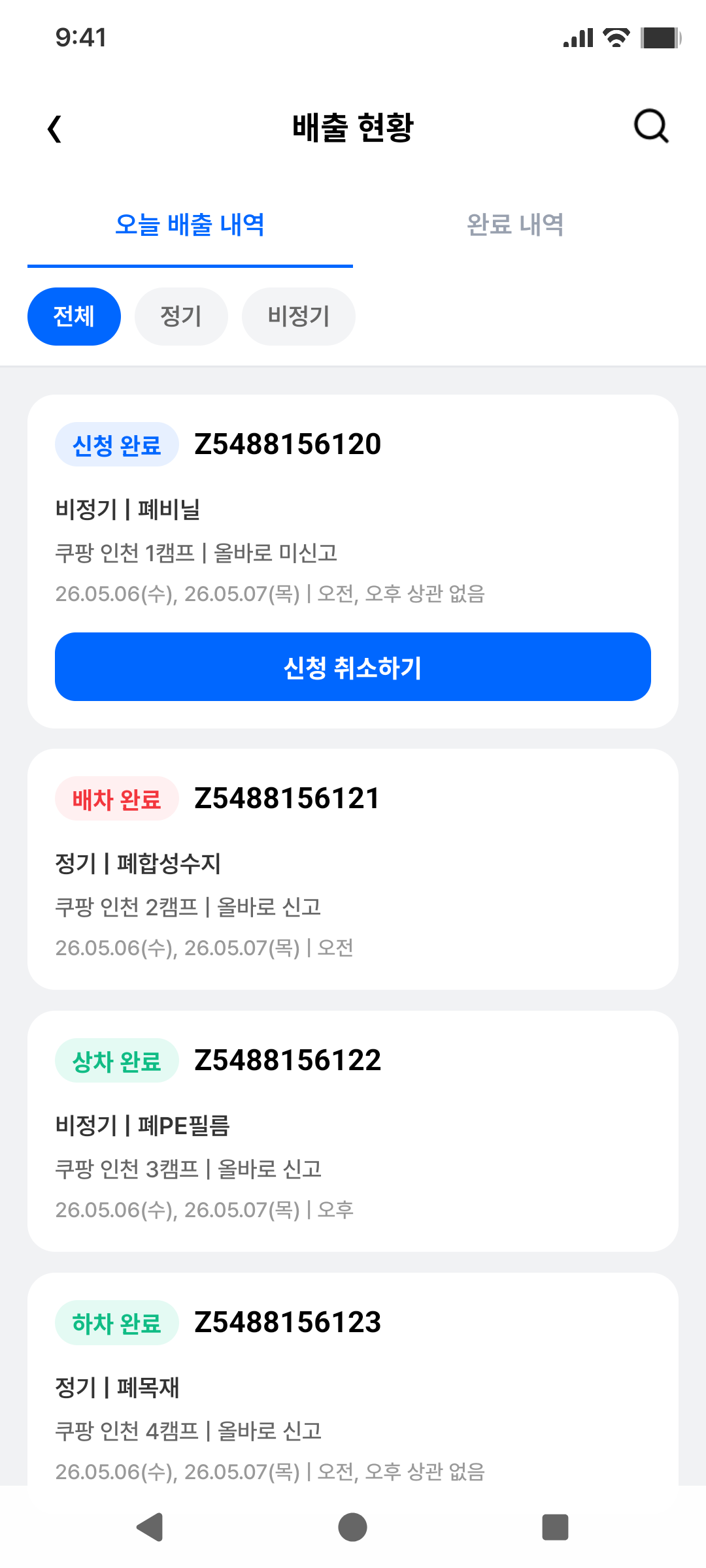
홈 카드 진입 후 오늘 내역 tab이 보이는 기준 화면입니다.
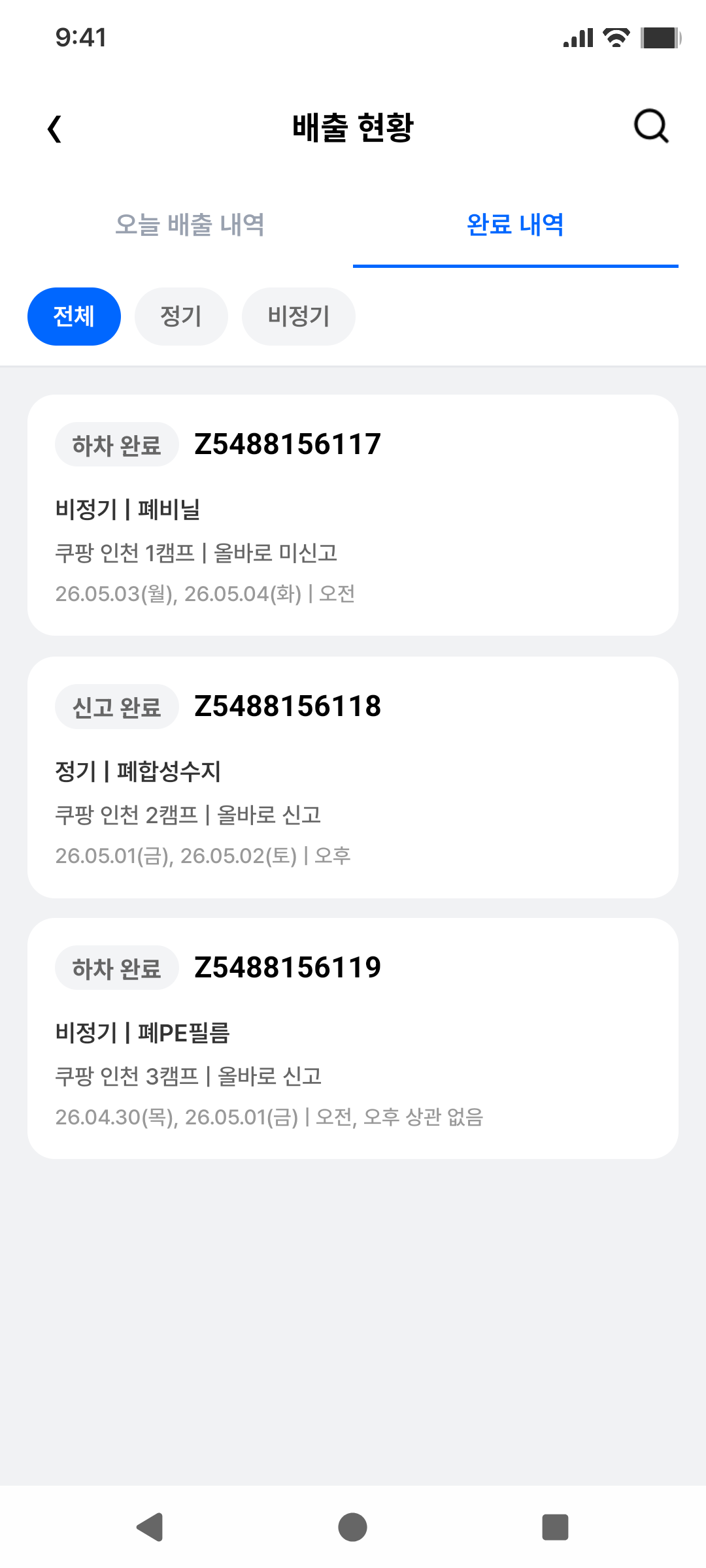
완료 내역 tab을 누른 뒤 신고 완료/하차 완료 card를 확인합니다.
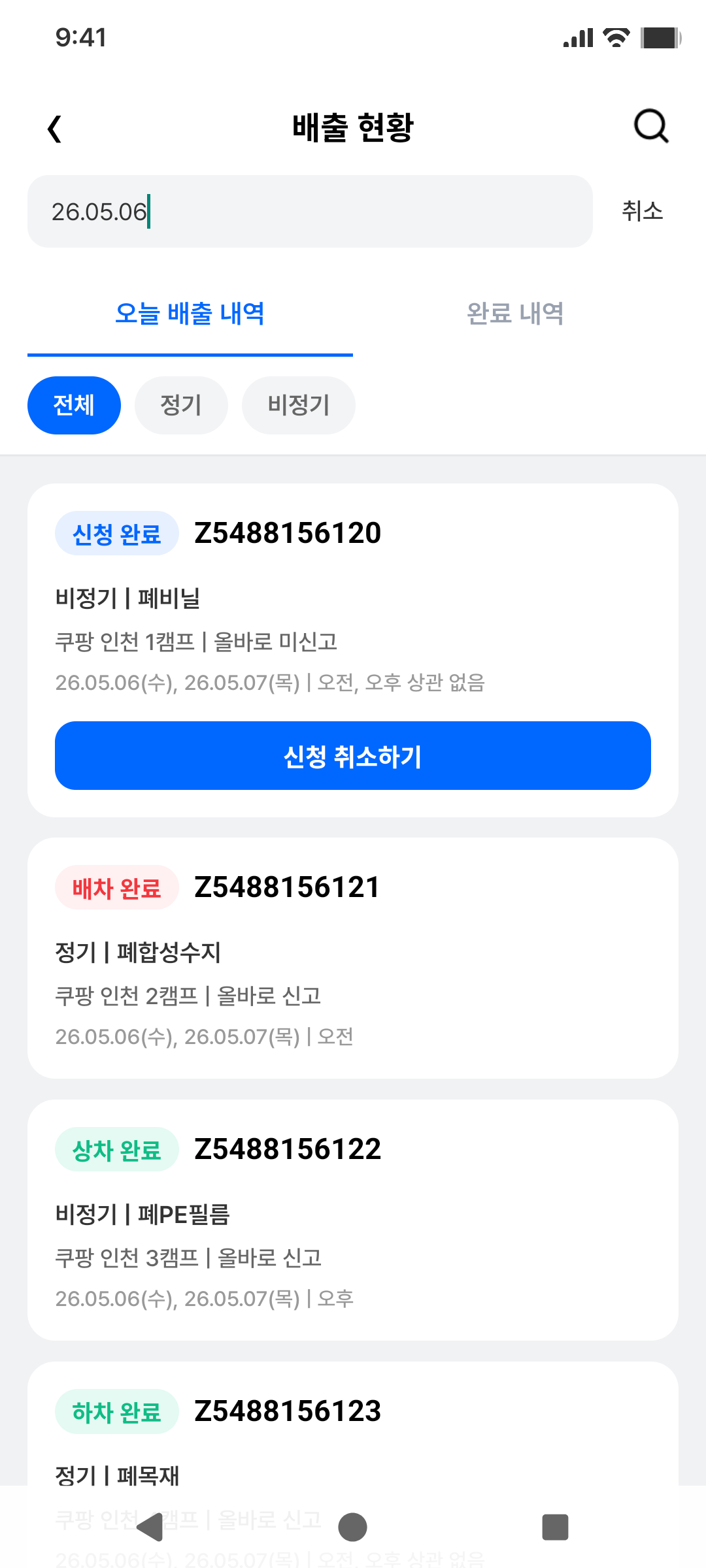
검색 input을 열고 날짜 형식 query를 입력한 상태를 고정합니다.
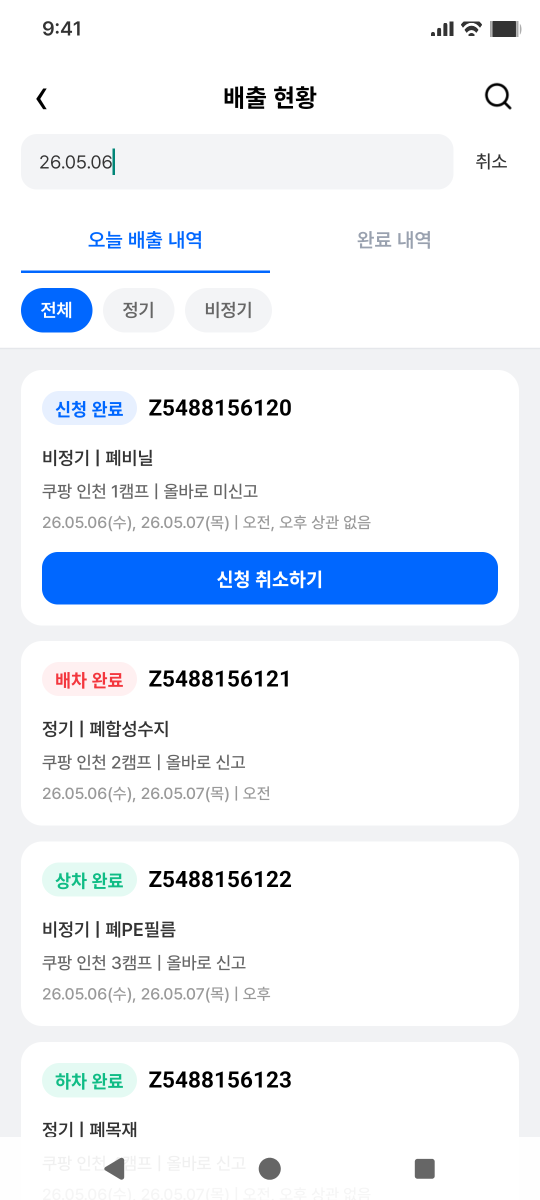
실제 emulator 화면에서 text-field, tab, filter, card, 취소 버튼 node를 읽은 visual truth입니다.
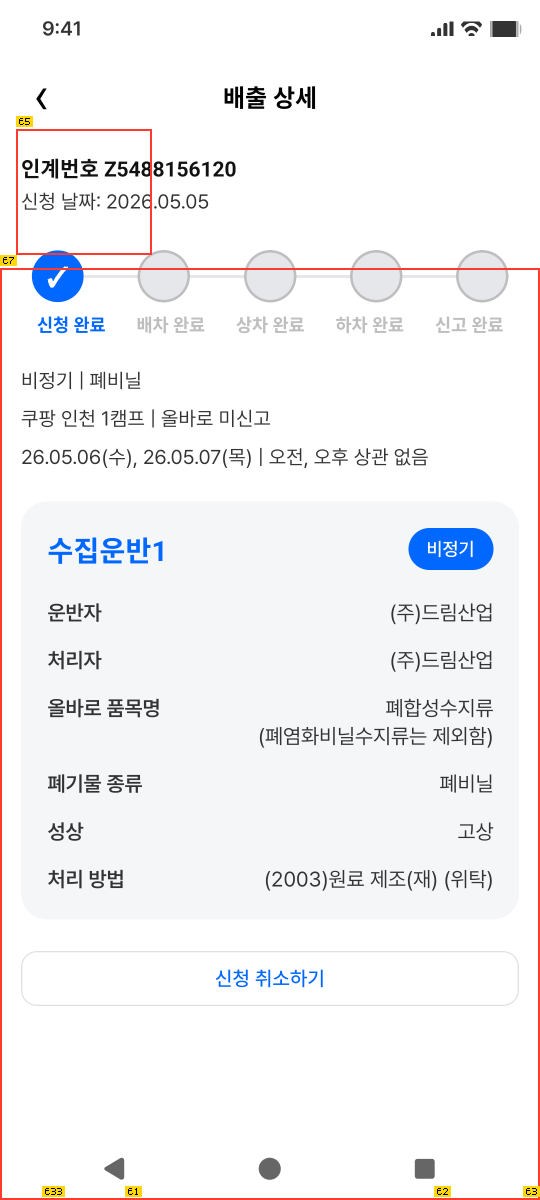
history card tap으로 진입한 신청 완료 상세 화면입니다. back은 history 화면으로 돌아갑니다.
apps/mobile/e2e/maestro/emitter-history.yaml가 담당합니다.capture-*.yaml을 scripts/e2e-maestro-dev-client.mjs로 실행해 고정 파일명을 갱신합니다.agent-device snapshot -i, artifacts/mobile/agent-device/emitter-history-screen.png, artifacts/mobile/agent-device/emitter-detail-screen.png를 기준으로 합니다.UiAutomation을 사용하므로 순차 실행합니다.